
Top POS Systems for Small Business POS Options

Running a small business in Colorado Springs or nearby communities means juggling a lot of tasks. One of the most important tools you can have is a reliable Point of Sale (POS) system. It’s not just about ringing up sales anymore. A good POS system helps you manage inventory, track customer preferences, and even streamline your accounting. If you’re looking to upgrade or get started with a POS system, you’re in the right place. Let’s explore some of the best small business POS options that can help you save time, reduce errors, and grow your business.
Exploring Small Business POS Options
When it comes to choosing a POS system, there’s no one-size-fits-all solution. Your choice depends on your business type, size, and specific needs. For example, a coffee shop will have different requirements than a boutique or a small restaurant. Here are some key features to consider when exploring small business POS options:
Ease of Use: You want a system that your team can learn quickly without a steep learning curve.
Inventory Management: Keeping track of stock levels and reorder points is crucial.
Payment Processing: Look for systems that accept multiple payment methods, including credit cards, mobile payments, and contactless options.
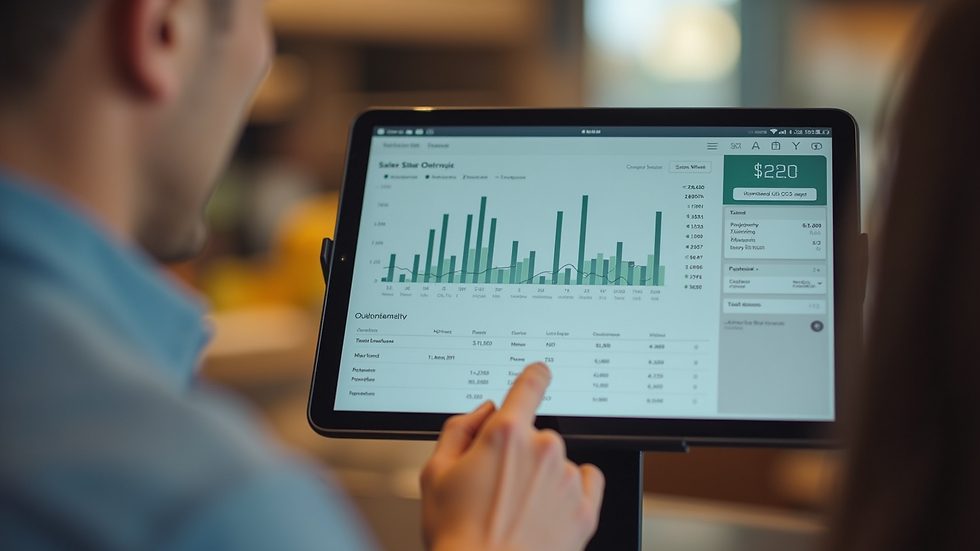
Reporting and Analytics: Insightful reports help you understand sales trends and customer behavior.
Customer Management: Features like loyalty programs and customer profiles can boost repeat business.
Integration: Your POS should work well with other tools like accounting software or e-commerce platforms.
Affordability: Consider upfront costs, monthly fees, and transaction charges.
By focusing on these features, you can narrow down your options and find a system that fits your business perfectly.

What POS System is Best for Small Business?
This is the question I get asked the most. The truth is, the best POS system for small business depends on what you need it to do. However, I can share some general recommendations based on what works well for many local businesses in Colorado Springs.
If you run a retail store, look for a POS system with strong inventory management and barcode scanning. For restaurants or cafes, a system with table management and quick order entry is essential. Service-based businesses might prioritize appointment scheduling and customer management features.
One thing I always recommend is choosing a system that offers cloud-based access. This means you can check your sales and inventory from anywhere, even on your phone. It’s a game-changer for busy business owners who are often on the go.
Also, consider the hardware. Some POS systems work on tablets or smartphones, which can save you money on equipment. Others require dedicated terminals but offer more robust features.
If you want to explore the best pos system for small business options tailored to your needs, it’s worth consulting with a local expert who understands the Colorado Springs market and can help you find the right fit.
Key Features to Look for in Small Business POS Systems
Let’s break down some must-have features that can make your life easier and your business more efficient:
1. User-Friendly Interface
Your staff should be able to use the system without frustration. Look for intuitive menus, clear buttons, and quick navigation. Training new employees should be a breeze.
2. Inventory Tracking
Real-time inventory updates help prevent stockouts and overstocking. Some systems even alert you when it’s time to reorder.
3. Multiple Payment Options
Customers expect flexibility. Your POS should accept credit and debit cards, mobile wallets like Apple Pay or Google Pay, and even cash.
4. Sales Reporting
Detailed reports on daily sales, peak hours, and product performance help you make informed decisions.
5. Customer Relationship Management (CRM)
Building customer loyalty is easier when you can track purchase history and offer rewards or discounts.
6. Integration Capabilities
Your POS should sync with your accounting software, e-commerce site, and marketing tools to keep everything running smoothly.
7. Security
Protecting your customers’ payment information is critical. Look for systems that comply with PCI standards and offer encryption.
8. Scalability
Choose a system that can grow with your business. You don’t want to switch platforms as soon as you add a new location or product line.
How to Choose the Right POS System for Your Business
Choosing the right POS system can feel overwhelming, but breaking it down into steps helps:
Assess Your Needs: Write down what features are essential for your business.
Set a Budget: Consider both upfront costs and ongoing fees.
Research Options: Look for systems that match your criteria.
Read Reviews: See what other small business owners say about ease of use and customer support.
Request Demos: Try before you buy. Many providers offer free trials or demos.
Check Local Support: Having access to local customer service can save you time and headaches.
Plan for Training: Make sure your team is ready to use the new system effectively.
By following these steps, you’ll feel confident in your choice and ready to enjoy the benefits of a modern POS system.
Making the Most of Your POS System
Once you’ve chosen and installed your POS system, it’s time to maximize its potential. Here are some tips:
Train Your Team Thoroughly: The more comfortable they are, the smoother your operations.
Use Reporting Tools Regularly: Review sales and inventory reports weekly to spot trends.
Leverage Customer Data: Use loyalty programs and personalized offers to keep customers coming back.
Keep Software Updated: Regular updates improve security and add new features.
Integrate with Other Tools: Connect your POS with accounting, payroll, and marketing platforms to save time.
A well-used POS system is more than just a cash register. It’s a powerful business partner.
Partnering with Local Experts for Your POS Needs
Choosing the right POS system is a big decision, and you don’t have to do it alone. Working with a local partner who understands the unique needs of small businesses in Colorado Springs can make all the difference. They can help you:
Find the best deals and packages
Customize the system to your business
Provide ongoing support and training
Ensure smooth installation and setup
At New Morrow Solutions, we’re committed to being that trusted partner. We focus on helping local businesses save money and grow by providing tailored, tech-forward payment processing and modern POS systems. If you want to explore your options or get expert advice, don’t hesitate to reach out.
Choosing the right POS system is a step toward running a smarter, more efficient business. With the right tools, you can focus more on what you love - serving your customers and growing your business. Whether you’re just starting out or ready to upgrade, the right POS system is waiting to help you succeed.


Comments